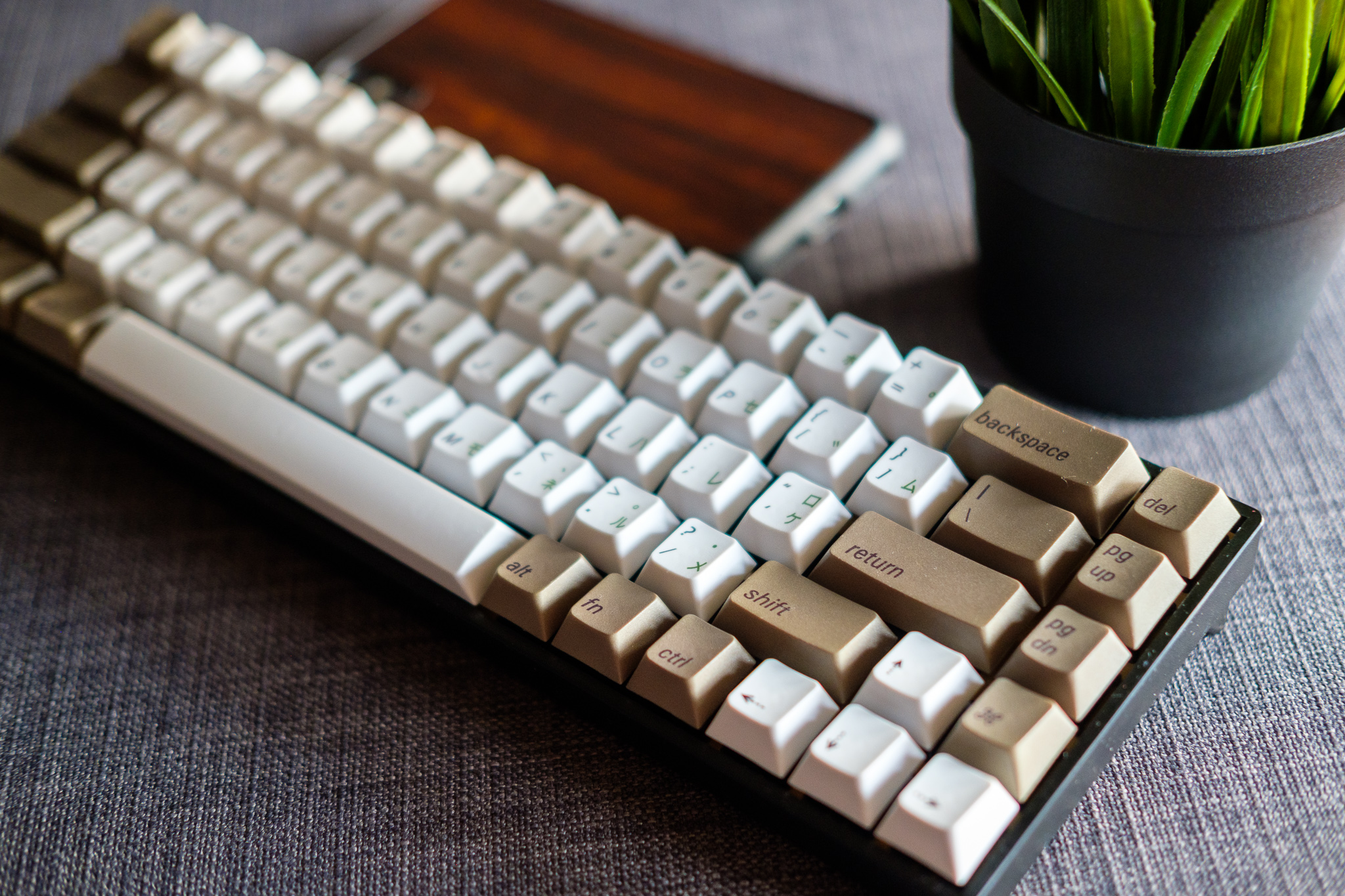
After months of watching YouTube videos and falling down the rabbit hole on /r/MechanicalKeyboards, I finally pulled the trigger and built my first custom mechanical keyboard. Here's how it went.
The Research Phase
The mechanical keyboard community is... intense. There are endless options for switches, keycaps, PCBs, plates, and cases. I spent weeks just reading reviews and comparing specs before making any decisions.
For my first build, I wanted something straightforward — no soldering, no complicated PCB flashing. A hot-swappable board with a solid set of linear switches. I landed on Cherry MX Blacks for the smooth, bottom-out feel that I'd heard so much about.
The Build Process
Building a keyboard is surprisingly therapeutic. You start with the case, drop in the PCB, add the plate, then carefully seat each switch one by one. There's something deeply satisfying about pressing each switch into its socket and hearing that soft click.
The hot-swap sockets made the process beginner-friendly. No need for a soldering iron — just push the switches in and they're locked. If I ever want to try different switches down the line, I can just pull them out and swap them.
Keycaps
Keycaps are where you can really personalise things. I went with a clean, minimal set that matched the aesthetic I was going for. PBT doubleshot keycaps were the way to go — they feel better than ABS and the legends won't fade over time.
Typing Experience
The Cherry MX Blacks are smooth. Really smooth. Coming from a standard membrane keyboard, the difference is night and day. Each keypress is deliberate and tactile, and the bottom-out feel is incredibly satisfying.
For typing, it took about a day to adjust to the actuation force. But once I got used to it, my typing speed actually improved. The consistency of each keypress means fewer typos and more confidence in every keystroke.
For Gaming
Linear switches like the Blacks are great for gaming too. There's no tactile bump to get in the way of rapid keypresses, so double-tapping and holding keys feels natural. Whether it's Fortnite or just general gaming, the keyboard performs well.
Was It Worth It?
Absolutely. The research time was the longest part of the process. The actual build took maybe an hour, and the result is a keyboard that's genuinely enjoyable to use every single day. If you spend a lot of time at a computer — and let's be honest, most of us do — a good keyboard is one of the best quality-of-life upgrades you can make.
Would I build another one? Already planning it.


No comments yet